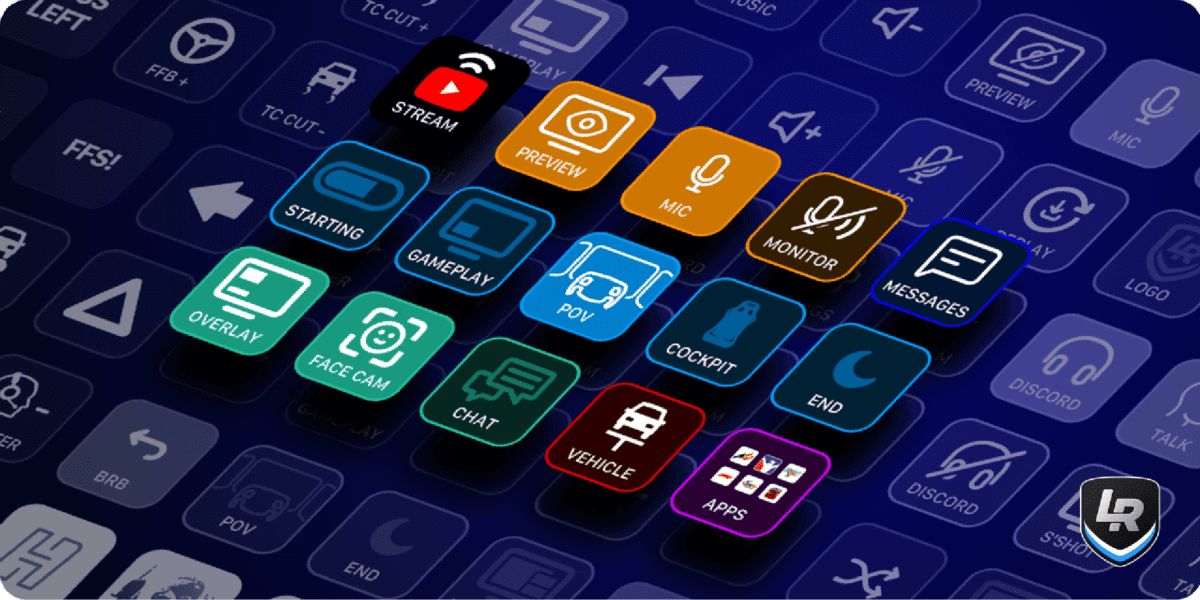
The Elgato Stream Deck is one of the most popular button box alternatives in sim racing. Because it doubles as a streaming tool, it fits naturally into a cockpit setup where you also want OBS control, Discord management, and quick chat macros on the same device. The short answer is yes, it works with iRacing, and it works well.
Also See
➡️ Best Budget Sim Racing Setup for iRacing Under $500
iRacing treats the Stream Deck as a standard input device. Therefore, buttons can be bound in iRacing’s controls menu just like any keyboard key or button box. However, a free dedicated plugin called iRaceDeck takes this much further. It comes with over 250 pre-made shortcuts, custom icons for each function, and it connects to iRacing’s telemetry feed so the deck can display live data while you race.
How It Works With iRacing
At the most basic level, each Stream Deck button sends a keyboard shortcut. In iRacing’s control settings, you assign a key to a function and then program the Stream Deck to send that keystroke. This works immediately without any plugins. Common bindings include entering and exiting the pits, toggling the black box, changing dash display pages, and looking left or right.
Because each button has an LCD screen, you can label every input with a custom icon. So instead of memorizing which key does what, you have a pit entry button with a pit lane graphic, a TC button showing a number, and a look-left button with an arrow. This makes it significantly faster to find the right input mid-race without a long glance away from the track.
The iRaceDeck Plugin
The iRaceDeck plugin is the main reason so many iRacers recommend the Stream Deck over a standard button box. It is free to download from the Elgato Marketplace and handles all the icon design and shortcut setup automatically. Instead of configuring your own layout from scratch, you get over 250 purpose-built actions that are ready to assign with a single click.
Furthermore, iRaceDeck pulls live telemetry from iRacing directly onto the deck’s LCD buttons. This means you can display your current fuel level, iRating, incident count, or lap delta right on the device. Some iRacers set a button to show remaining laps, while others use it to monitor fuel burn without needing a separate overlay. The integration is built in and requires no additional software beyond the plugin itself.
Best Button Mappings for iRacing
The most useful button assignments depend on what you race, but some bindings consistently come up across the community. Pit entry and exit commands are near the top because they require precise timing and a missed input can cost positions. Dash page changes are another common one, particularly for drivers who run different display pages during pit windows versus race pace.
Many iRacers also set up chat macros. With a single Stream Deck button, you can send a pre-written message like “good race” or “pitting this lap” in one tap. This is faster and safer than typing mid-stint since you do not need to touch the keyboard. Additionally, buttons for look left, look right, camera switching, and mic mute round out a typical layout so you can handle most in-race actions without reaching for the keyboard at all.
Is the Stream Deck Worth It for iRacing?
If you only need a button box, a standard DIY box or third-party device will cost less and handle the basics. However, the Stream Deck’s value comes from its dual purpose. Because it covers streaming, Discord, OBS scene switching, and iRacing controls from a single device, it removes the need for separate hardware for each function.
The iRaceDeck plugin and the live telemetry display push it into a different category from most sim racing button boxes. You are not just pressing buttons. You are also monitoring race data at a glance while keeping your hands on the wheel. For iRacers who stream or broadcast their sessions, the Stream Deck is one of the most natural cockpit additions available.