Endurance racing in iRacing can seem intimidating if you’ve only done solo sprints, but it’s one of the most rewarding experiences in sim racing. Working together with teammates over long stints, managing pit strategy, and keeping the car alive for hours takes a different mindset than short races — but once you get the basics down, it’s surprisingly straightforward.
Here’s a simple guide to help you get started.
1. Create and Register Your Team
Start by creating a team in iRacing:
- In the Teams tab, create a new team and invite your friends.
- When registration opens for your chosen event (like the Production Car Challenge Endurance), register the team first.
- Every driver who plans to participate must also register individually as a team member in the same event.
This ensures iRacing knows who’s eligible to drive during the race.
2. Practice with the Right Setup
Endurance racing setups are often slightly different from sprint setups. They focus on stability and tire life rather than ultimate one-lap speed.
Most cars have built-in “endurance” setups. For example, a GT3 car might come with around 100L of fuel, enough for about an hour of driving. Load that preset and use it as a starting point. You can always tweak from there as your team gains experience.
3. Learn the Pit Menu and Auto Fuel
Pit stops are a critical part of endurance racing. You’ll need to:
- Adjust fuel load, tire changes, and repairs from the black box pit menu.
- Use the Auto Fuel option, which estimates how much fuel you’ll need for the next stint.
💡 Pro tip: Make pit stop changes while driving on a straight, before entering pit lane. This saves time and prevents last-second errors.
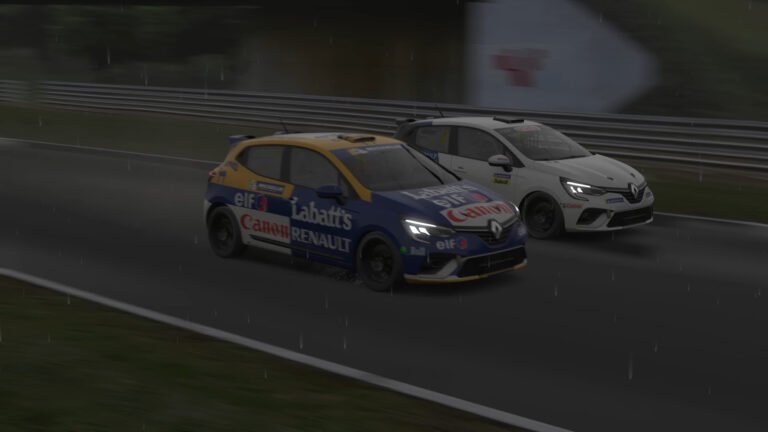
Some cars (like the Renault Clio) don’t handle Auto Fuel well, so it’s smart to plan your own numbers during practice sessions.

4. Driver Swaps Made Simple
When you pit, you can swap drivers:
- The current driver enters pit lane and stops in the box.
- Hold your “Exit Car” button.
- A registered teammate who is spectating will see an option to “Get in Car.”
They can then take over driving duties for the next stint.
Every registered driver must complete a minimum portion of the race, usually at least 25% of their fair share.
Example: In a 100-lap race with two drivers, each should drive at least 12.5 laps to avoid disqualification.
5. Practice Before Race Day
Don’t wait for race day to figure this stuff out.
Hop into a practice session with your teammates and rehearse:
- Full pit stops
- Fuel and tire changes
- Driver swaps
- Reconnecting to the session
Even a single test session will make the real thing far smoother.
6. Tools and Tips
- Button binds: Set buttons for “Tires On/Off,” “Fuel Add,” and “Fast Repair.”
- Stream Deck: Some racers use a Stream Deck with iRacing plugins to automate pit commands — a great quality-of-life upgrade.
- Macros: You can set up iRacing chat macros for common pit commands or driver messages.
7. Start Small and Build Up
If you’re brand new, try shorter endurance races first — like the Production Car Challenge Endurance (around 90 minutes). Once you’ve mastered teamwork, pit stops, and swaps, you’ll be ready for the big ones: the Daytona 24, Spa 24, or Nürburgring 24 Hours.
Endurance racing is one of the most social and rewarding aspects of iRacing. It combines driving skill, teamwork, and race management in a way no sprint race can. Once you complete your first endurance event, you’ll quickly see why so many iRacers call it the best part of sim racing.