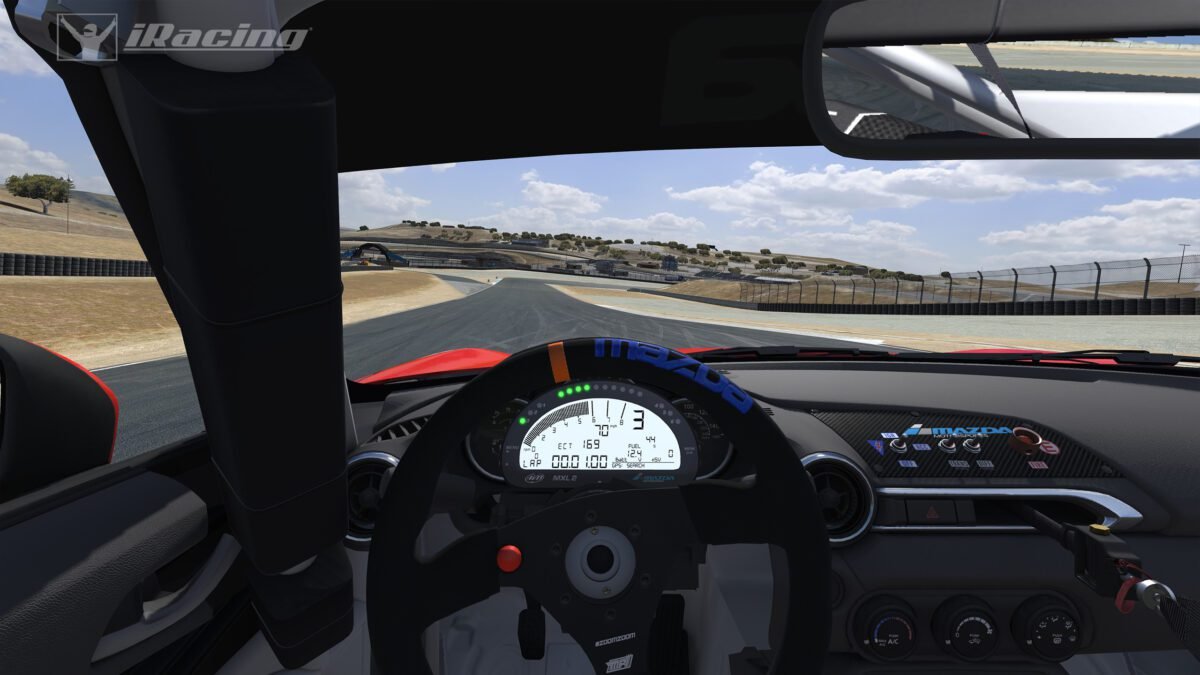
iRacing public practice is one of the most underused tools on the platform. Most drivers hop straight into races and wonder why they keep spinning on lap one. A few laps in practice first would fix most of that. This guide covers everything you need to know about public practice in iRacing, from finding sessions to getting the most out of your time on track.
Also See
➡️ Does iRacing Get Better? Here Is What New Drivers Should Expect
What Is Public Practice in iRacing?
Public practice sessions are open, unscored sessions available in iRacing 24 hours a day. Anyone can join, leave, and rejoin without affecting their safety rating or iRating. There is no pressure, no scoring, and no consequences. You just drive.
These sessions run on a rotating schedule tied to the current race week. The track and car combination always match whatever series is currently active in that week. That means you can practice on the exact circuit and setup you will race on, before race day arrives.
How to Find Public Practice Sessions
Finding a public practice session is simple. Open the iRacing UI and click on “Race” in the top navigation. From there, select the series you want to practice for. Below the official race sessions, you will see a “Practice” tab or section. Click it and you will find available public practice sessions currently running.
Alternatively, you can search by track. Go to the “Racing” tab and filter by the current track. Practice sessions for multiple series often run at the same time. Pick the one that matches your car.
One thing to note: practice sessions are not always fully populated. Sometimes you will be the only driver on track. That is completely fine. An empty practice session still gives you everything you need to improve.
What You Can Do in Public Practice
Public practice is more flexible than most drivers realize. Here is what you can actually do during a session.
Set Hot Laps and Learn the Track
The most obvious use is learning a new track. Getting familiar with braking points, turn-in spots, and kerb usage takes repetition. Practice lets you do that without any risk. You can restart to pits, reset your car, and try the same corner 20 times in a row if needed.
Test and Tune Your Setup
Setup changes are much easier to evaluate when there is nothing on the line. Load a baseline setup, run a few timed laps, then adjust one variable at a time. Repeat the process until the car feels right. Trying to find your setup during a race is nearly impossible. Practice sessions are the right place for that work.
Practice Race Starts
Many drivers struggle with race starts, especially in oval series. Public practice lets you simulate a standing or rolling start by driving to the start/finish line and launching. It is not a perfect simulation, but it helps build the muscle memory you need when it counts.
Work on Specific Sections
If you are losing time in one particular sector, you can drive out to that section and loop it repeatedly. Exit the pits, skip the first two sectors, and focus entirely on that one tricky chicane or banked turn. Targeted practice like this is far more efficient than running full laps every time.
Tips for Getting the Most Out of iRacing Public Practice
Showing up to a practice session is easy. Actually improving during that time takes a bit more intention. These tips help you make every session count.
Set a Goal Before You Start
Aimless laps are better than nothing, but they are not great. Before you load into the session, decide what you are working on. It might be hitting the apex on Turn 3 more consistently. It might be keeping your tire temps in range over a full stint. Having a specific goal turns a 30-minute session into real progress.
Use the Data After the Session
iRacing stores telemetry data from every session. After practice, open the session data in iRacing’s built-in analyzer or a third-party tool like TrackTitan or VRS. Compare your laps and look for where you are losing time. Doing this after practice is far more productive than doing it the night before a race.
Drive Other People’s Lines
If other drivers are in the session, watch them. Specifically, look for anyone running faster lap times. Follow at a safe distance and observe their braking points, their entry speed, and where they get on the throttle. You will often spot something immediately that you can try on your next lap.
Do Not Skip Pit Exit and Warm-Up Laps
Cold tires in iRacing are a real hazard. Even in practice, rushing straight to full attack pace from a cold start leads to unnecessary crashes and unhelpful data. Take one or two laps to warm the tires and get your rhythm. Your timed laps will be more consistent as a result.
Public Practice vs. Test Drive: What Is the Difference?
iRacing also offers a “Test Drive” mode, which is separate from public practice. Test Drive is a fully private, offline session. No other drivers are present and the session does not count toward anything. It is perfect for learning a brand new car or track combination in complete isolation.
Public practice, on the other hand, puts you on track with real drivers from the iRacing community. That adds a layer of realism that Test Drive cannot replicate. Traffic, drafting, and the occasional backmarker all prepare you better for race conditions.
Use Test Drive for your first few laps on a new combo. Then move to public practice when you want more realistic conditions.
How Much Practice Do You Actually Need?
There is no magic number. It depends on your experience level and the track. A driver who has done 200 laps at Watkins Glen in previous seasons might only need 20 minutes to feel sharp again. A brand new track in a series you just joined might take three or four hours of practice to feel ready.
A good benchmark for new drivers is this: practice until you can run three consecutive clean laps at a consistent pace. If you cannot string together three clean laps in practice, race day will be harder than it needs to be.
For drivers chasing safety rating improvements, more practice is almost always better. The more comfortable you are with the track before the race, the less likely you are to make avoidable mistakes under pressure.
Using Public Practice to Build Confidence Before a Race
One of the best things about iRacing public practice is that it removes the fear factor. New drivers often hesitate in races because they are unsure about a braking point or a tricky section of track. That hesitation causes more incidents than going in slightly too fast.
Practice fixes that. After 50 laps in a public session, you know that corner. You have braked there in traffic, you have run the kerb, and you have probably spun once already in a consequence-free environment. When race day comes, that corner feels familiar instead of scary.
Confidence is a real performance factor in iRacing. Public practice is the cheapest and most reliable way to build it.
Final Thoughts
iRacing public practice does not get the credit it deserves. It is free to use, always available, and directly tied to the series and tracks you are currently racing. There is no better way to prepare for race day than turning consistent laps in the same car on the same circuit beforehand.
Whether you are a new driver trying to survive your first race or a veteran chasing a series championship, public practice is time well spent. Set a goal, drive with intention, and review your data afterward. The improvement will follow.