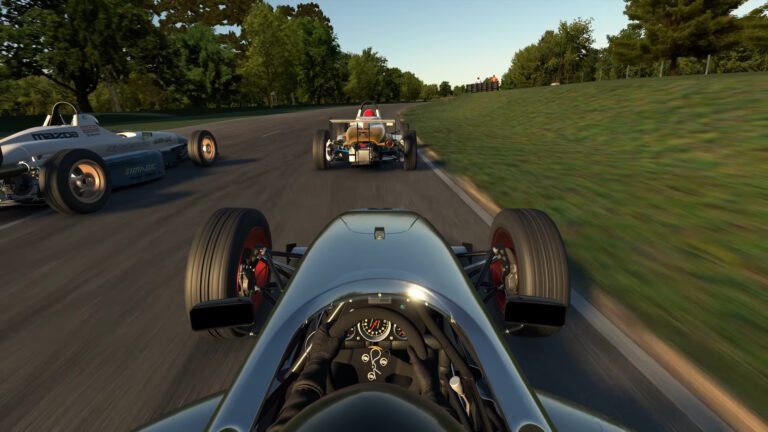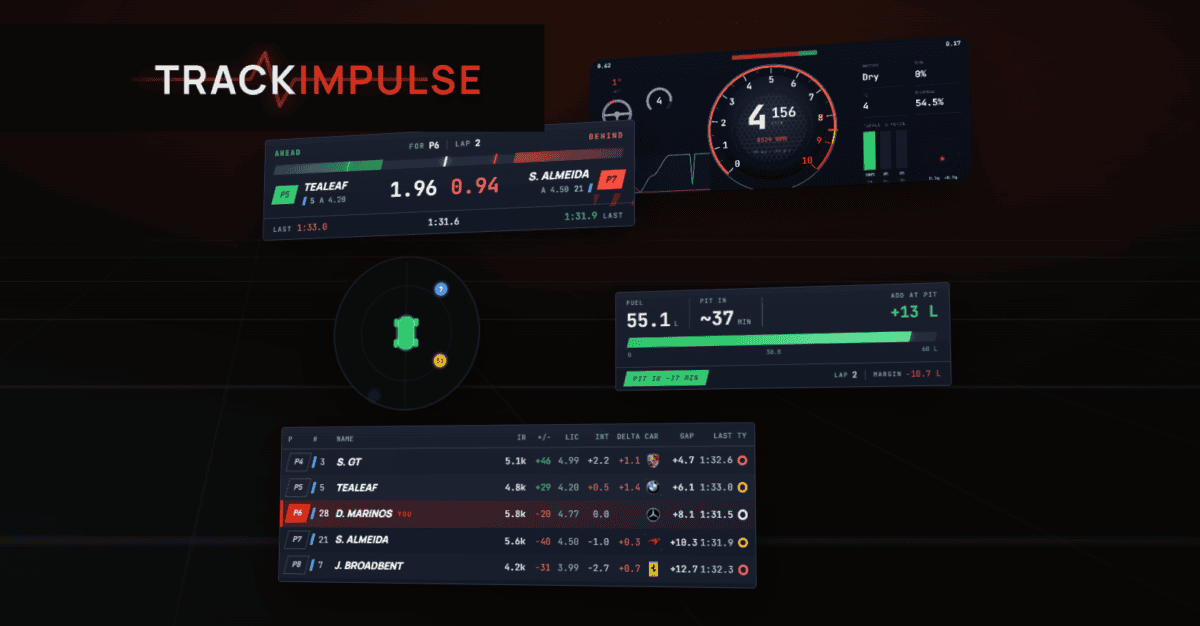
Track Impulse overlays arrived in the latest installer update as an optional component, and most iRacers have not noticed yet. The suite ships 20 HUD panels free on your existing Track Impulse activation: a radar spotter, fuel calculator, full standings, relative, battle bar, dashboard, and a live haptics HUD that no other overlay tool currently offers. No SimHub license, no subscription, and nothing extra to install beyond ticking a box during setup.
Also See
➡️ Track Impulse’s Haptics UI Got a Major Overhaul in April 2026
🎮 Download Track Impulse Overlays Free
What comes in the suite
The radar spotter runs in three modes. The disc view places every nearby car by bearing and distance on a circular radar: blue when far, amber when close, red and pulsing when you are door to door. A portrait mode arranges cars in a fore-and-aft lane, and a two-bar strip is the minimal version for anyone who wants only a left-right proximity signal. All three modes clear the instant a car drops back, and all three are built for single-screen rigs and VR where mirrors are limited or absent.
The relative panel lists cars ahead and behind sorted by interval rather than position, so the car closing on you at two seconds per lap stays near the top of the list even if it started 10 spots back. Each row shows iRating, live gap, car make, last lap time, and tyre compound in iRacing. The standings overlay splits a multiclass race into separate class blocks, pins your row in view regardless of how deep the field runs, and shows strength of field per class. This makes it usable in a 60-car multiclass split without the GT3 runners disappearing under a wall of prototype positions.
The fuel calculator learns your per-lap burn rate over a few clean laps and shows exactly how much to add at the next pit stop: litres in tank, laps remaining, fuel to finish, and the recommended fill with your buffer. A battle bar tracks the gap to the car immediately ahead and behind in one compact strip, coloured green when safe, amber in a fight, red under attack. Session info handles flag state, air and track temperature, wetness, and incident count in a single panel. Because it auto-hides in sessions where the data is not available, you set it once and leave it.
Rounding out the suite: a track map with every car’s position and turn numbers (iRacing only), a pit helper that shows pit road speed and a countdown to your pit box, and a delta trace that graphs time gained and lost against your best or last lap as you drive. A performance overlay adds telemetry heat maps for a post-session review. Two streaming panels round out the full 20: a merged Twitch and YouTube chat feed with an interactive command bot, and a broadcast race-info lower third.
The overlays worth calling out specifically
The dashboard is a full instrument cluster in one panel: a 270-degree tachometer with gear, speed, and RPM at the centre, a five-second steering and input trace on the left, throttle and brake bars with a G-force dial on the right, and a configurable telemetry grid across the top. It scales from a single slider, and any cell a sim cannot populate simply hides. Run it in iRacing and every field fills. Run it in BeamNG and the race-specific cells disappear, but the tachometer and pedal data work fine.
The performance overlay is the panel most users would expect to find behind a paywall. During a session it shows a live delta bar and a G-force circle. After the session, it generates track heat maps for speed, braking, and throttle: a colour-coded view of where you were fast, where you got on the brakes early, and where you lifted before your best lap did. RaceLab and iOverlay do not offer post-session lap analysis at this level on their free plans. Track Impulse overlays include it free during the current beta.
The haptics HUD is the one Track Impulse overlays can genuinely call their own. Because Track Impulse is the underlying bass shaker engine, the overlay reads a live level for each of the eight effects at the exact moment they fire: road vibration, slow suspension, kerb, engine, ABS lock, gear change, wheel slip, and native kerb. The master level sits alongside each individual channel. If you have been tuning bass shaker intensity by feel alone, this panel shows exactly what is firing and at what level during a real session, so you can dial in each effect by eye as well as by feel. No other overlay tool offers anything comparable, because no other overlay tool is also a haptics engine.

Track Impulse overlays across ACC, LMU, and beyond
The suite runs in iRacing, ACC, Assetto Corsa, Le Mans Ultimate, AC EVO, AC Rally, Automobilista 2, BeamNG, Euro Truck Simulator 2, and F1. The app detects which sim is running and switches automatically, so there is nothing to reconfigure when you close iRacing and open ACC. Race-specific panels such as relative, standings, and the radar apply to the racing titles. The dashboard, fuel calculator, session strip, and haptics HUD work everywhere the sim provides the data, and fields that a particular sim does not expose stay blank rather than showing a placeholder.
The layout is configurable per panel. Each can be set to show only while in the car, only while in the garage, or always. Background opacity is adjustable per panel individually. Wide horizontal layouts suit the top or bottom edge of an ultrawide or triple-screen setup, keeping the panels clear of your central sightline. The entire layout locks with F6 so nothing shifts once the session starts. A privacy cover panel hides the sim while you are in the garage, which is useful for streamers who do not want their setup visible on broadcast.
How Track Impulse overlays compare to SimHub, RaceLab, and iOverlay
The comparison on the free tier is clear. RaceLab locks its radar spotter and fuel calculator behind its $4.90 per month Pro plan. iOverlay and irDashies run in iRacing only. Edge Overlays does not list telemetry review or a haptics HUD on its feature page. SimHub is the broadest platform by number of supported sims: over 100, with a large library of community-built dashboards. However, its free tier runs overlays at 10 fps and a full license starts at €5. Track Impulse overlays run at full frame rate, free, during the current beta period.
Additionally, the Twitch and YouTube chat panel merges both feeds into one window and includes a bot that answers viewer commands with live race data: lap times, position, fuel load, and similar. Most competing tools offer a static read-only chat display. The race recap card, which generates a shareable image of your finish position, iRating change, and best lap at the end of a race, is also free and requires no additional account beyond the app itself.
The caveat worth stating clearly: SimHub’s community ecosystem is considerably deeper. Thousands of community dashboards exist for it, and it supports sims Track Impulse does not currently cover. Furthermore, SimHub also drives bass shakers, so the distinction between the two platforms is not haptics versus no haptics. It is low-latency haptics with a live HUD versus a broader sim roster and a DIY dashboard library. For iRacers, or for anyone already running Track Impulse for shakers, the free overlay tier now matches or exceeds what most iRacing-focused overlay tools offer at no cost.
Getting started
Track Impulse overlays ship inside the existing Track Impulse installer as an optional component. If you already have the app, download the latest installer from track-impulse.com and re-run it: the overlays appear as a tick during setup. If you are new to Track Impulse, the app is free during beta with no credit card required, so the entire package, bass shaker haptics and all 20 overlays, is available from the first activation. There is no separate account to create and no subscription to manage.
Once installed, everything lives in a single tabbed Settings window where you switch panels on and off and adjust appearance per panel. A language picker appears on first launch. After you position your panels, press F6 to lock the layout and it stays put between sessions. Most panels work correctly out of the box: the customisation is available when you want it, not required before anything runs.
For iRacers already running Track Impulse for bass shakers, adding the overlays takes about two minutes and a reinstall. For anyone managing multiple separate overlay tools, it is worth checking whether Track Impulse overlays now cover what you need in a single app.