Finding the right VR headset for sim racing is a different question than finding one for general gaming. The resolution demands are higher, the sessions are longer, and the GPU requirements are steeper. You are sitting in a fixed position in a rig rather than walking around a room, which changes almost every priority: controller tracking barely matters, weight compounds over multi-hour stints, and pixel density has to be high enough to read brake markers at race distance. Getting those three things right is what separates a useful sim racing VR headset from one that collects dust after a week.
Also See
➡️ Best CPU and GPU for iRacing on 1440p Triple Monitors
What Actually Matters in a VR Headset for Sim Racing
Resolution and pixel density are the first thing to get right. Pixels per degree (PPD) is the number that matters here, not raw resolution. A high-resolution panel spread across a wide field of view loses effective sharpness compared to the same resolution in a narrower window. At low PPD, brake markers turn into blurs, car liveries become unreadable, and the screen door effect is visible between pixels. The Pimax Crystal Super sits around 50 PPD, which is the point where the grid pattern disappears entirely under normal driving conditions.
Field of view (FOV) determines how much you can see without moving your head. A wider horizontal FOV gives you more track at corner exit and helps you spot traffic in your mirrors. Current headsets range from roughly 105 to 130 degrees horizontal. The difference between 110 and 127 is noticeable in fast, direction-changing sequences, but most drivers adapt to narrower headsets quickly. FOV matters more in open-wheel racing, where mirror visibility and track width are tighter margins to manage.
Refresh rate is directly tied to how comfortable VR feels. At 90Hz, most drivers adjust within a few laps. Below that, frame rate inconsistency becomes noticeable faster. Most modern sim racing headsets hit 90Hz natively, with 120Hz modes available at lower render resolution. If your GPU cannot sustain 90 frames at full quality settings, enabling foveated rendering or dropping to 80 percent render scale preserves smoothness better than running at a higher refresh rate you cannot maintain.
Weight matters more than the spec sheet suggests. A 600-gram headset is tolerable in a 20-minute sprint. In a two-hour endurance stint, neck fatigue becomes a real factor. The headsets covered here range from 107 grams (Bigscreen Beyond 2) to around 650 grams for some of the Pimax options. If you run long sessions regularly, that gap is not a minor detail.
Tracking type is the least important factor for sim racing. Whether a headset uses inside-out camera tracking, external Lighthouse base stations, or SLAM mapping does not affect image quality or comfort in a seated setup. Buy what integrates with your existing SteamVR configuration, or what requires the least room for hardware if your sim space is tight.
GPU Requirements: What You Actually Need
Every headset on this list requires a capable GPU, and the gap between a usable experience and a great one is significant. For the Meta Quest 3, an RTX 3070 or equivalent gets you running well. The Pimax Crystal Light needs an RTX 3080 or better. The Crystal Super and Dream Air both perform best with a 4080 or 4090 class card at full resolution. Running upscaling through AMD FSR or DLSS can stretch a mid-tier card further, but native resolution is where the image quality difference actually shows. If you are budgeting for a headset upgrade, factor in whether your GPU is keeping pace.
Pimax Dream Air: Best VR Headset for Sim Racing Overall
The Dream Air is $1,999 in the Lighthouse version and $2,299 with SLAM tracking and controllers. The display is a Sony Micro-OLED panel running 3840 by 3552 per eye at 90Hz. Weight is under 170 grams. Horizontal FOV is 110 degrees.
The Micro-OLED panel is what makes this headset the clear choice at the top of the market. OLED blacks mean the cockpit interior does not wash out when you look into bright sunlight through the windscreen. Dark track environments, night races, and shadowed corners all render with contrast that LCD headsets cannot match. The pixel density is high enough that brake boards read at race distance, and the sub-170-gram weight allows multi-hour sessions without neck fatigue becoming a factor.
The minimum GPU Pimax lists is an RTX 2070, but driving the full panel at 90Hz in a packed grid in iRacing needs considerably more than that. Budget for a 4080 or higher if you want the headset to run at the quality level that justifies the price.
Pimax Crystal Super: Best VR Headset for Sim Racing Resolution
The Crystal Super runs around $1,599 and uses a QLED panel at 3840 by 3840 per eye, giving it the highest total pixel count of any current PC VR headset. Horizontal FOV is approximately 127 degrees, and pixels per degree sits around 50. The visual result is a picture where the screen door effect is gone and fine detail holds at the edges of the lens.
The wide FOV is the Crystal Super’s real advantage over the Dream Air. At 127 degrees, peripheral vision covers more of the corner than most headsets allow. In fast direction changes, you see the track environment responding before you have to look for it. The tradeoff is GPU load. Running full resolution without upscaling needs an RTX 4090. At 80 or 90 percent render scale with DLSS, a 4080 class card manages it comfortably, and the image still outclasses most alternatives at native resolution.
Pimax Crystal Light: The Committed Racer’s Value Pick
At around $899, the Crystal Light sits at the point where serious VR sim racing becomes accessible without requiring flagship GPU spending. Resolution is 2880 by 2880 per eye on a QLED panel, FOV is approximately 105 degrees, and the headset supports 60, 72, 90, and 120Hz refresh modes. It is around 25 percent lighter than the original Crystal.
The Crystal Light clears the threshold where brake markers and text are readable at race distance. It does not reach the pixel density of the Crystal Super, and the FOV is noticeably narrower, but for a driver who wants to commit to VR without spending four figures on the headset alone, it is the most honest recommendation in the Pimax lineup. An RTX 3080 or better gives you a clean 90Hz experience at most visual quality settings.
Meta Quest 3: The Entry Point That Actually Works
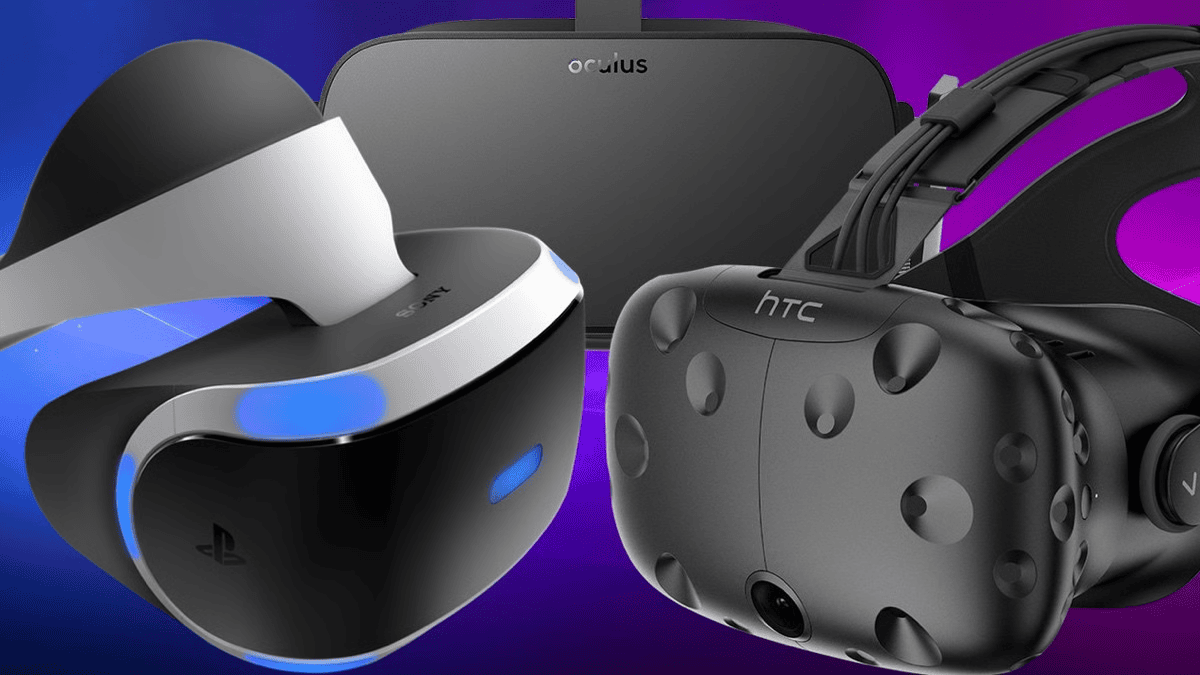
The Quest 3 is $499 for 128GB and $649 for 512GB. Per-eye resolution is 2064 by 2208 on LCD with pancake lenses, and the top refresh rate is 120Hz. It connects to a PC by USB cable or wirelessly through Virtual Desktop, which makes it the only headset on this list with a practical wireless option.
The image quality is behind the Pimax options, but it clears the bar for a convincing VR experience in iRacing. The wider FOV compared to the Quest 2 and the improved lens clarity make close racing feel genuinely immersive rather than like looking through a porthole. The stock head strap is inadequate for extended sessions. Most sim racers replace it within a few weeks with an aftermarket battery strap or halo design. Budget $30 to $60 for that alongside the headset purchase. A 3070 class card runs it cleanly at good settings.
Bigscreen Beyond 2: For Drivers Who Run Long Stints
The Beyond 2 runs $899 to $1,099 depending on configuration. The display is Micro-OLED at 2560 by 2560 per eye. The headset weighs 107 grams. Nothing else in this category comes close to that number. Horizontal FOV is approximately 108 degrees, and refresh rates are 75 or 90Hz. Tracking requires SteamVR Lighthouse base stations.
The OLED panel delivers contrast and colour accuracy that LCD headsets at the same price cannot match. The weight is the main reason to choose the Beyond 2 over the Crystal Light at a similar price point. After two to three hours in a heavier headset, neck fatigue is measurable in the feedback through your wheel. The Beyond 2 mostly removes that variable, which makes it the most appropriate choice for endurance-focused drivers and anyone running long practice blocks. The Lighthouse dependency is the practical barrier: if you do not already have base stations, factor in the additional cost and installation.
Triple Monitors Are Still a Valid Answer
Not every sim racer benefits from switching to VR. If you already have a good triple-monitor setup with hardware matched to it, your visual clarity and peripheral view are already strong. Some drivers find that switching to VR disrupts lap times on tracks they know well by changing the visual reference points they have built over hundreds of laps. Re-adapting takes time, and not everyone finds the tradeoff worth it.
VR suits drivers who prioritise immersion and depth perception, those who are new enough to the sim that reference points are still forming, and anyone who races a variety of tracks rather than grinding one circuit. For drivers optimising around a specific setup on specific tracks, the monitor advantage in visual clarity and frame rate can still outweigh VR immersion. The right hardware is the one that fits how you actually race.
The Pimax Dream Air is the best VR headset for sim racing available right now if you have the GPU and the budget. The Crystal Super wins on resolution and FOV. The Crystal Light is the honest choice for committed racers who do not want to spend premium prices twice. The Quest 3 gets you into VR without a large outlay and adds wireless as a bonus. The Beyond 2 is the correct answer if you run long stints and need the neck fatigue variable removed. Pick the axis that matches how you race, and buy the headset that does that one thing better than the alternatives.