Dropping into a new circuit in iRacing and immediately chasing lap times is the fastest way to stay stuck. Most sim racers treat track learning as something that happens naturally over enough laps, but without a process behind those laps, you can grind for an hour and plateau at the same slow time. The sim racers who learn iRacing tracks quickly are not necessarily faster on raw pace. They have a structure, and they follow it every time they need to learn iRacing tracks on a new circuit. This guide gives you that structure.
Also See
➡️ Why You Keep Spinning in iRacing
➡️ Consistency vs. Outright Pace in iRacing
The approach matters more than the raw lap count. Here is how to make every practice session count when you are working through a circuit for the first time.
Learn the Layout Before You Push the Pace
Before you run a single timed lap, do a slow orientation circuit. Use the minimum speed needed to keep the car stable and look ahead. Identify where the track narrows, where the camber changes, where braking zones are compressed by following corners, and where the track-out room disappears earlier than expected. This is not wasted time. It creates the mental map that everything else builds on.
The sequence of observation matters. Look to the corner entry first, then find the apex, then read the track-out point. If you are managing brakes, gears, and traction on a circuit you do not know at the same time you are trying to learn the layout, you do not have enough attention left for any of it. Separate the tasks. Run slow enough that observation is the only job.
iRacing makes this easier than real driving because you can rewind the replay during an offline test session. After any corner that surprises you, rewind and watch your line from the TV camera before driving it again. What the corner feels like from inside the cockpit and what the car actually did are often quite different, and the camera view closes that gap without extra laps.
Build Braking References When You Learn iRacing Tracks
Every circuit has braking references once you know what to look for. Painted distance boards, overhead gantries, pit lane exit points, curb ends, and advertising board edges are all usable markers. On circuits without clear markings, pick any track-side object that is visible from the cockpit and in a consistent position every lap.
When you identify a braking reference for the first time, use a point five meters earlier than you think you need. That conservative margin is not a lap time loss. It is a stable baseline where the car is settled, the line is clean, and the lap is repeatable. From there, move the braking point forward in small steps of two meters at a time. You will feel the car approach the limit gradually, and that feeling is what you are training, not the marker itself.
The mistake most drivers make is copying a braking reference from a fast lap video without understanding why that point works. If you do not know how much trail braking room is available in a specific corner or how the camber affects stability at that entry speed, the reference is just a number with no context. Build your own reference first, then compare to see what room remains.
Divide the Track Into Problem Sections
No circuit is uniformly difficult. Trying to improve everywhere at once usually means improving nowhere in particular. After your orientation laps, identify which two or three corners are costing the most time or confidence. Those are the sections you address first, not last.
The sector focus method is useful here. Complete a full lap, cross the start line, and give yourself permission to ignore everything except one corner this time around. Get the braking, the apex, and the track-out right in that corner. Then expand the focus zone one corner at a time: first the corner plus the one following, then a full sector. Narrow attention produces better information than split attention spread across the whole lap.
When you learn iRacing tracks with a sector focus rather than full-circuit effort, the iRacing learning curve flattens out far more quickly. Working one section until it stabilizes, then moving to the next, produces faster results than running general laps and hoping for gradual improvement.
Add Speed in Measured Steps
Once you have done the groundwork to learn iRacing tracks properly, adding speed is a controlled process. Take slightly more minimum corner speed than feels comfortable. Check whether the car stayed balanced through the corner. If it held, carry two more kph next lap. If it pushed wide or snapped loose, reset to the previous entry speed and work out what changed before trying again.
The reset step is where most sim racers lose discipline. Going back to a speed that worked feels like losing ground, but it is the only way to isolate what changed between the lap that worked and the lap that did not. Random lap-to-lap speed variation produces random results with no useful pattern to act on.
Finding a grip limit gradually gives you information you can use: which corner breaks first, whether the front or rear runs out first, and how much margin you actually have before the car stops cooperating. That margin knowledge is the foundation of consistent fast driving. A lucky one-off hot lap does not give you that.
When to Use Replay and Telemetry as You Learn iRacing Tracks
Replay and telemetry are powerful tools, but only after a stable baseline exists. Using them on your first ten laps means comparing a lap where you missed the braking point by twelve meters to one where you missed it by eight. That is noise, not signal. There is nothing useful to analyze when the inputs themselves are not consistent yet.
Once your laps are repeatable, the data becomes meaningful. Look at the minimum speed trace through your problem sections. If minimum corner speed is lower than on your consistent laps, corner entry speed is probably not the issue. Your ability to hold and then apply throttle cleanly out of the corner is. If your braking distance is longer than expected, compare brake trace shapes between your best and average laps to find where the release point differs.
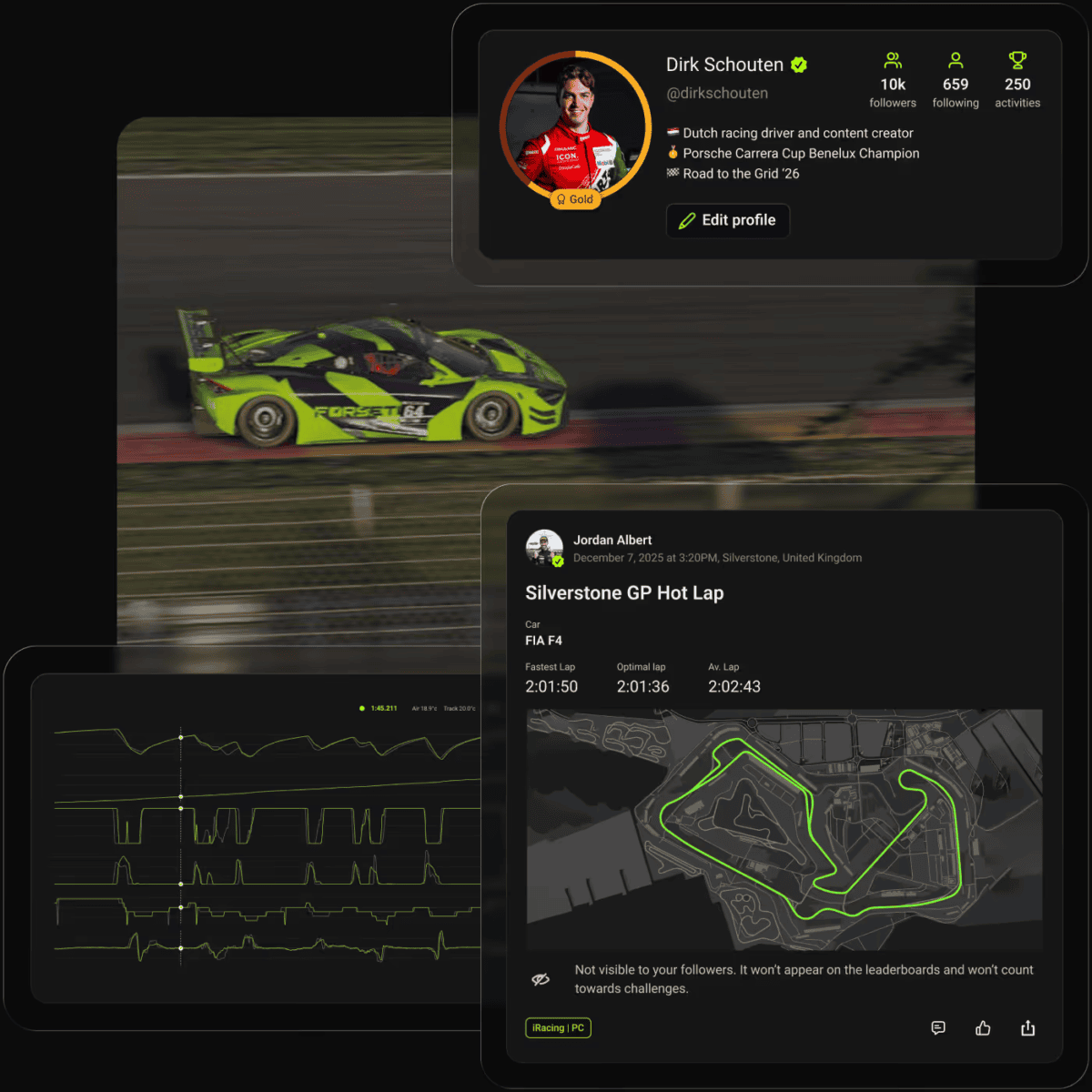
iRacing’s native replay covers braking, throttle, and steering traces with no additional setup required. Apps like Garage 61 and Forseti add granular corner-by-corner comparison against faster drivers, which becomes useful once you are within a consistent range and looking for the last few tenths. If you are still working to learn iRacing tracks section by section, start with the built-in tools and focus on one corner at a time.
A 30-Minute Routine to Learn iRacing Tracks Faster
The steps above work when they become a repeatable session structure. Here is a 30-minute block that builds track knowledge without turning practice into unstructured lapping.
Minutes 0 to 5: Slow orientation lap. No timing, no pressure. Locate the braking references, read the apexes, and note where the camber or track surface changes. Flag any section that surprises you for the work phase ahead.
Minutes 5 to 15: Ten clean laps. The target is not pace, it is consistency. The same braking reference, the same line, the same throttle pick-up point every single lap. When a lap goes wrong, reset mentally and focus on replicating what the last correct lap felt like rather than chasing what went wrong.
Minutes 15 to 25: Targeted corner experiments. Pick three corners that showed inconsistency in the clean laps. Spend roughly three laps on each. Adjust one variable per experiment: the braking reference, the turn-in point, or the apex clip. Not all three at once. Changing one input at a time tells you which variable actually made the difference.
Minutes 25 to 30: Five-lap consistency run. Run at the pace your corner work revealed. Observe whether the adjustments held under normal lap pressure or disappeared when you stopped actively thinking about them. Changes that vanish under load need more repetitions in the experiment phase before they are properly embedded.
Repeat this structure until the consistency run produces times close to what you found in the experiment laps. When those numbers align, the technique is in muscle memory rather than deliberate thought. That is the signal to push the pace further or move focus to the next section. This is how you learn iRacing tracks intentionally, not by accident.