Once you decide a button box belongs on your rig, the next question is which one to buy. The best button boxes for iRacing in 2026 range from simple $50 USB panels to premium $400+ units with built-in displays. In this guide, we rank the top options across every budget, break down their features, and tell you exactly which ones work best for iRacing.
What Makes a Great Button Box for iRacing?
A good iRacing button box needs three things: enough inputs for pit commands and car adjustments, reliable build quality that survives thousands of hours of use, and a layout that lets you find the right button without looking. Rotary encoders are especially useful because they handle incremental adjustments like traction control, brake bias, and fuel target without requiring multiple button presses.
Compatibility is rarely an issue since virtually all button boxes register as standard USB game controllers in Windows. iRacing recognizes them automatically. However, the number and variety of inputs matter more than you might expect. Having a mix of push buttons, toggle switches, and rotary encoders lets you assign different control types to different functions, which builds muscle memory faster.
Best Budget Button Boxes for iRacing (Under $100)
The Racebox Mini at $84 is our top budget pick. It packs 6 push buttons and 4 toggle switches into a compact aluminum enclosure that mounts easily to any cockpit. The build quality is solid for the price, and the switches feel satisfying to operate. For basic iRacing pit commands and a few car adjustments, the Racebox Mini covers the essentials without wasting money on features you might not use.
Amazon and AliExpress also offer generic USB button boxes in the $40 to $70 range. Some of these are surprisingly decent, with real metal toggle switches and rotary encoders. Quality varies, so read reviews carefully before buying. The biggest risk with budget boxes is inconsistent switch quality. A sticky toggle or unreliable encoder can cause problems during a race. Nevertheless, these budget options work well as a first button box to test whether the concept fits your racing workflow.
Best Mid-Range Button Boxes ($100 to $250)
The Racebox Racer at $159 steps up with 12 push buttons, 4 toggle switches, and 2 rotary encoders in a larger aluminum housing. The rotary encoders are the key upgrade here. In iRacing, you can assign one encoder to traction control and the other to brake bias, giving you instant adjustability without taking your eyes off the track. The build quality is excellent, and the button layout is intuitive enough to operate by feel alone.
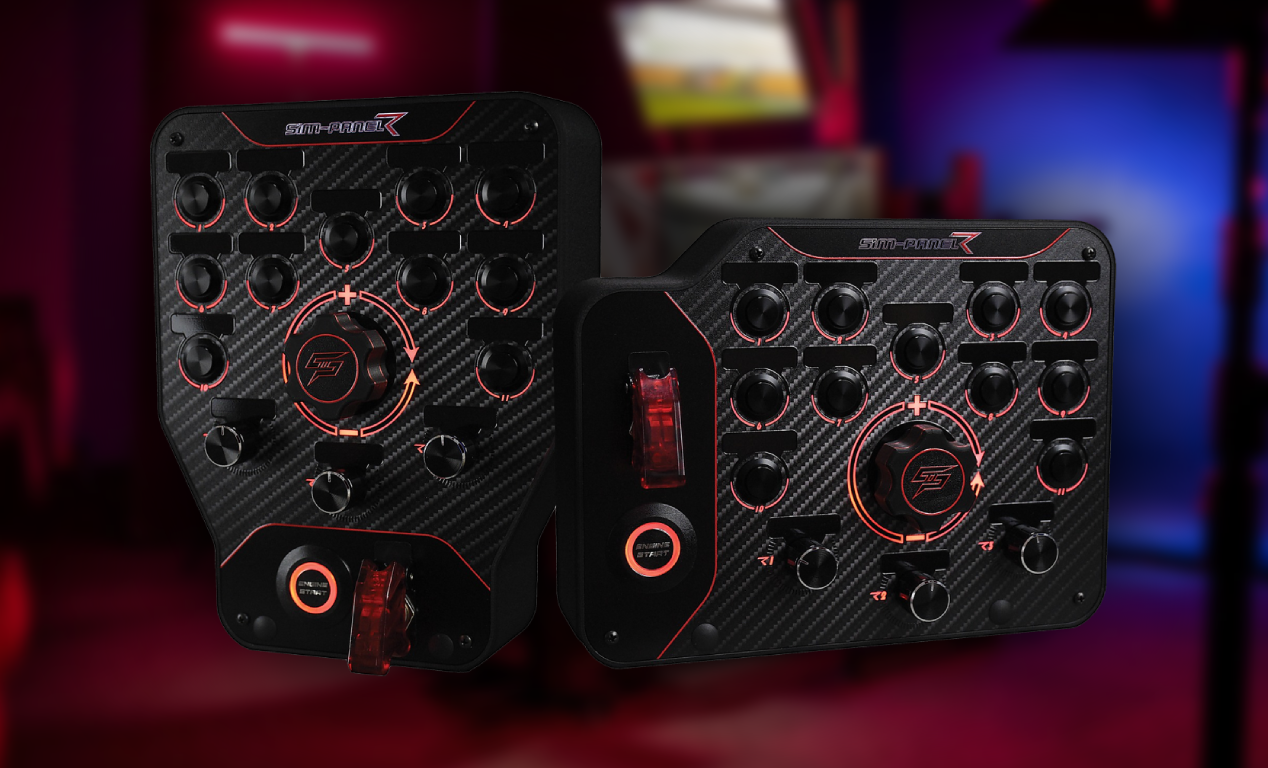
The SimPanel R Gen-2 at around $180 offers a different approach with its multi-function display and programmable button array. It can show RPM data, gear position, and flag status alongside your physical buttons. For iRacing drivers who want telemetry and controls in one package, the SimPanel is a compelling option. Additionally, its software is regularly updated to support new iRacing features.
The Elgato Stream Deck (15-key) at around $150 is an unconventional but effective choice. Each key is a tiny LCD screen that you can customize with iRacing-specific icons. This means you always know what each button does, even when switching between different car classes with different control mappings. The lack of rotary encoders is a downside, but the visual feedback compensates for it. Many experienced iRacing drivers pair a Stream Deck with a small traditional button box for the best of both worlds.
Best Premium Button Boxes for iRacing ($250+)
The Racebox GTE V3 at $269 is the standout premium option. It features a built-in 5-inch VoCore display flanked by 16 RGB LEDs that display flag colors and spotter alerts. The display can show live telemetry data from iRacing, including lap times, fuel remaining, and tire temperatures. You also get a full complement of push buttons, toggles, and rotary encoders. For iRacing, having live telemetry data on your button box eliminates the need for a separate dashboard display.
The Racebox GT-LM at $349 ups the ante with a larger 6.8-inch VoCore screen and additional button options. It is the closest thing to a real GT car dashboard panel that you can get for under $400. The screen real estate is generous enough to display multiple telemetry pages simultaneously.
At the top end, Ascher Racing button plates command $400 or more but deliver professional-grade quality. The Ascher B24M-SC at around $500 features 24 functions via push buttons, rotary encoders, and multi-position switches in a CNC-machined aluminum housing. These are the same button plates used by professional esports teams. The quality is unmistakable, with zero wobble in the switches and crisp, consistent activation forces. If budget is not a constraint, Ascher Racing represents the pinnacle of button box engineering.
DIY Button Boxes: A Worthy Alternative
Building your own button box remains a popular option for handy sim racers. An Arduino Pro Micro board costs about $10, and a set of quality switches, toggles, and encoders runs $20 to $40. Add a 3D-printed enclosure for another $10 to $20, and you have a fully custom button box for under $80. The Arduino Joystick library handles the USB HID interface, making the coding straightforward.
The advantage of DIY is total customization. You choose the exact number and type of inputs, the layout, the labeling, and the enclosure design. Many sim racers build their button boxes to match specific iRacing car classes, with layouts optimized for oval racing, road racing, or endurance events. The downside is the time investment. Expect to spend 10 to 20 hours on your first build, including design, sourcing parts, wiring, and programming.
How to Set Up Your Button Box in iRacing
Setting up a button box in iRacing is straightforward. Plug it in via USB, then open iRacing’s Options menu and navigate to the Controls section. Click on any bindable function, then press the corresponding button or switch on your button box. iRacing will recognize the input and assign it automatically. Repeat for every function you want to bind.
For rotary encoders, bind the clockwise rotation to the “increase” function and the counterclockwise rotation to the “decrease” function. This works perfectly for traction control, brake bias, ABS, and engine map adjustments. Take time to label your switches clearly, either with printed labels or a label maker. Muscle memory develops faster when you can glance down and confirm you are hitting the right control.
Best Button Boxes for iRacing: Our Top Picks
For most iRacing drivers, the Racebox Racer at $159 delivers the best balance of features, build quality, and price. Its rotary encoders and toggle switches cover every essential iRacing function, and the aluminum build will last for years. If you want integrated telemetry, the Racebox GTE V3 at $269 is the clear winner.
Budget racers should start with the Racebox Mini at $84 or a well-reviewed generic USB panel under $70. Premium enthusiasts should look at the Ascher Racing lineup, where the build quality justifies the higher price. No matter your budget, finding the best button boxes for iRacing and adding one to your rig will make you faster, more organized, and more immersed in the racing experience. Read our iRacing guide for more setup tips. Shop at Racebox and Ascher Racing.